Intermittent faults that “move”
Errors appear on different devices at different times, making root cause difficult to isolate.
Typically caused by:
- signal reflections
- poor shielding
- unstable voltage levels



PROFIBUS (Process Field Bus) is a widely used industrial communication protocol that connects controllers (PLCs) to field devices like sensors, valves, and drives.
It enables real-time data exchange across automation systems and is commonly found in manufacturing, process plants, and legacy systems that still require reliable, deterministic communication.
Best For
Factory automation
High-speed communication
PLCs, drives, remote I/O
Typical Environments
Manufacturing
Packaging
Machine Automation
Best For
Process Industries
Hazardous Environments
Process Instrumentations
Typical Applications
Flow
Pressure
Level
Temperature
Most PROFIBUS issues are not caused by configuration—they’re caused by problems at the physical layer.
These issues can be difficult to spot because they often appear intermittently, move across the network, or only show up under certain operating conditions.
Errors appear on different devices at different times, making root cause difficult to isolate.
Typically caused by:
Nodes go in and out of communication, especially under load.
Typically caused by:
System appears stable until speed increases (e.g. 12MB), then errors begin.
Typically caused by:
📌 Real-world note: exceeding recommended segment length is more common than most teams realize.
Unexplained faults, especially near drives, motors, or high-power equipment.
Typically caused by:
Devices fail to communicate or behave unpredictably.
Typically caused by:
📌 Real-world note: duplicate addressing is a frequent cause of communication failure in the field.
Network appears unstable or noisy, especially at the ends of segments.
Typically caused by:
These problems are difficult to diagnose without the right tools because they occur at the electrical signal level, not just in software.
Troubleshooting PROFIBUS requires a structured approach.
Most issues originate at the physical layer, so identifying signal quality and network conditions is critical before changing configuration.
Start by verifying signal quality across the network.
Look for:
If the signal isn’t clean, the network won’t be stable.
Confirm the network layout matches recommended design guidelines.
Check:
Exceeding limits can cause intermittent or speed-related failures.
Ensure termination is:
Incorrect termination is one of the most common causes of instability.
Validate that:
Address conflicts can stop communication entirely or create unpredictable behavior.
Use a diagnostic tool to observe:
This is where most root causes are identified. This is where mobile tools like ProfiTrace are used.
ProfiTrace (originally from Procentec, now part of HMS Anybus Diagnostics) is a portable troubleshooting tool used to diagnose PROFIBUS network issues.
When we are called out to help a customer get a PROFIBUS network up and running, this is the first tool that gets packed.
ProfiTrace is:
It provides:
Most PROFIBUS issues are physical. This is how you see them.
To troubleshoot a PROFIBUS network properly, you need a way to connect without breaking the network.
ProfiTrace connects using the ProfiCore Ultra interface and a tap (typically a piggyback connector), allowing you to monitor the network while it is running.
Important tip:
Each segment of a PROFIBUS network should have at least one piggyback connector available.
This allows you to:
In segmented networks, measurements must be taken on each segment to get the full picture.
Key Insight
Most PROFIBUS issues occur at the physical layer.
ProfiTrace is not just software—it combines hardware and software to measure the actual electrical signal on the network, allowing you to detect faults like noise, reflections, voltage drops, and termination issues that are not visible in PLC diagnostics.
ProfiTrace can detect issues such as:
Typically, customers working on PROFIBUS PA networks choose the Ultra Pro kit.
Most customers working only on PROFIBUS DP networks use the Ultra Plus kit.
PROFIBUS DP Networks
PROFIBUS PA networks
ScopeWare
Message Recording
Network Condition
Live List
Bar Graph
Reporting
ScopeWare
Message Recording
Network Condition
Live List
Bar Graph
Reporting
No
Yes
No
Yes, with ProfiCaptain License
No
Yes
Troubleshooting DP Networks
Troubleshooting DP and PA Networks.
Plus Advanced Tasks
ProfiTrace combines multiple diagnostic tools into one system:
This eliminates the need for multiple tools and gives you a complete view of the network.
ProfiCore Ultra is not a complete troubleshooting kit.
It is the USB interface used with ProfiTrace software—and is typically purchased as a replacement part, not a full solution.
You likely need this part if:
Many purchasers search for “ProfiCore Ultra” and assume it is a complete diagnostic tool.
It is not.
If you are trying to troubleshoot a PROFIBUS network and do not already have ProfiTrace software and accessories, you should be looking at a ProfiTrace kit (Ultra Plus or Ultra Pro) instead.
To replace a ProfiCore Ultra:
If you don’t have this information, we recommend contacting us before ordering.
ProfiTrace helps you find and fix PROFIBUS problems.
But once the network is back up and running, the next question is:
How do you stop the same issue from happening again?
Most PROFIBUS networks fail for the same reasons:
Fixing the fault is step one.
Improving the network is what prevents repeat downtime.
To improve network reliability, you need to move from:
Reliable PROFIBUS networks are built around three core principles: visibility, segmentation, and physical layer discipline.
(Permanent Monitoring – ComBricks)
One of the biggest challenges with PROFIBUS is intermittent faults.
They don’t show up when you’re looking for them.
They show up when the plant is running.
Permanent monitoring solves this.
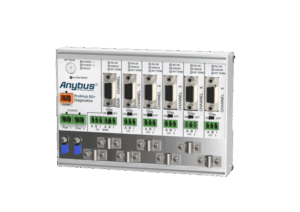
ComBricks is a modular system that continuously monitors your network in real time:
Instead of waiting for a failure, you see problems developing early.
ProfiTrace is what you bring when something is broken.
ComBricks is what you install when you don’t want to get that call again.
(ProfiHub — B5 as the standard)
Most PROFIBUS networks are still wired in series.
That works — until it doesn’t.
Common problems:
ProfiHub breaks the network into isolated segments:
Electrical disturbances are isolated so they don’t impact the entire network.
The ProfiHub B5+ is the most commonly used model for a reason:
It acts as a stable backbone for the network
But in most cases:
B5 is the starting point for improving network stability
A large percentage of PROFIBUS issues come down to installation.
Not configuration. Not programming.
Physical layer.
Termination defines whether the signal continues or stops.
If it’s wrong:
Even a single incorrect termination can impact the entire segment
The Helmholz connectors you’re stocking are popular for a reason:
If you can’t access the network easily, troubleshooting becomes harder.
That’s why: connectors with piggyback ports are often preferred in real installations
Monitor your network continuously and catch intermittent faults before they cause downtime.
ComBricks provides 24/7 visibility with remote access, diagnostics, and alerts—so you’re not relying on being on-site when issues occur.
Isolate faults, improve signal quality, and prevent network-wide failures.
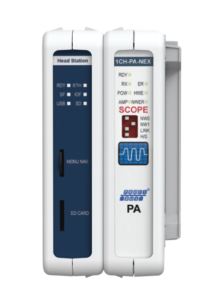
The ProfiHub B5+ creates independent segments so issues don’t spread across the network. It’s plug-and-play, requires no PLC configuration, and gives you built-in access points for diagnostics.
Important:
Looking for the ProfiHub B5+RD?
The B5+ is the direct successor and includes the same core functionality.
Many PROFIBUS issues come down to connectors and termination.
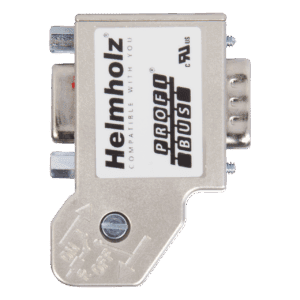
We stock reliable connectors used in our own field service work, including options with piggyback access for live diagnostics.
It’s about:
Whether you’re troubleshooting an issue or building internal expertise, the right training and resources make a significant difference.
Access commonly requested manuals, technical guides, and PROFIBUS training options below.
Most PROFIBUS issues come down to design, installation, and troubleshooting approach—not just tools.
Training helps your team:
Especially valuable for:
Looking for a specific manual or technical reference? These are the most commonly requested PROFIBUS resources.
Looking for a different manual? Contact us
PROFIBUS Design Guidelines
Practical guidance for designing stable and reliable PROFIBUS networks.
10 Costly PROFIBUS Mistakes
Common mistakes that lead to network instability and downtime—and how to avoid them.
More real-world troubleshooting examples coming soon.
PROFIBUS issues aren’t always obvious.
You might see:
In many cases, the root cause isn’t visible without the right tools and approach.
You don’t need to have the answer before reaching out.
We work with teams at all stages—from early investigation to full network troubleshooting—and can help point you in the right direction.
Many of the issues we see come down to signal quality, segmentation, or physical layer problems—but we’ll help you confirm that.