


4next, Helmholz, Modbus, Problem Solving, Thorsis Technologies GmbH
Why Modbus Problems Are So Hard to Troubleshoot?
If you work around industrial networks long enough, eventually you run into a Modbus system that starts acting strangely.
Not fully down.
Not obviously broken.
Just… unreliable.
Maybe devices drop out once or twice a shift.
Maybe values update slowly for no apparent reason.

Intermittent communication problems often appear first during production conditions.
Maybe the HMI freezes occasionally.
Maybe communication errors show up during production — then disappear when someone comes looking for them.
Those are the problems that eat time.
Because most Modbus issues are not hard failures.
They’re intermittent.
And intermittent problems are where troubleshooting gets expensive.
Why Plants Still Use Modbus
For a protocol that started decades ago, Modbus is still everywhere.
Utilities. Tank farms. Remote sites. Power monitoring. Water systems. Older OEM equipment. Data logging applications.
There’s a reason for that.
Modbus is simple.
It’s inexpensive.
It’s easy to implement.
And most importantly:
It works.
A lot of plants are still running Modbus RTU devices installed years ago that continue to do exactly what they were designed to do.
The problem usually isn’t the protocol itself.
The problem is what happens when the network starts becoming unstable — and nobody can clearly see why.
Modbus Troubleshooting Gets Difficult When Problems Don’t Fail Cleanly
That’s part of what makes them difficult.
You can have a network that works 95% of the time and still have:
- random timeouts
- inconsistent polling
- communication retries
- dropped values
- slow updates
- occasional disconnects
Enough instability to create production headaches.
Not enough instability to immediately point to the root cause.
That’s where teams start replacing hardware, changing devices, rebooting systems, or swapping components without really knowing what’s happening underneath.
Modbus RTU Problems Usually Start at the Physical Layer
A surprising number of Modbus RTU issues come back to fairly basic installation problems.
Things like:
- shielding
- grounding
- wiring layout
- A/B reversal
- addressing conflicts
- electrical noise
- loose terminations
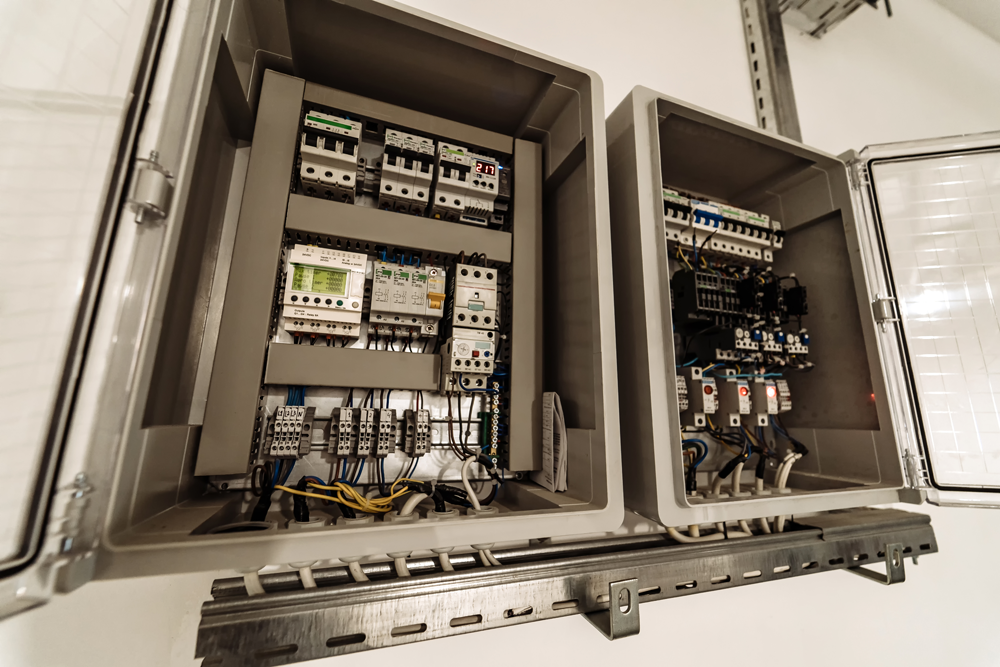
Many intermittent Modbus issues begin at the physical layer — wiring, grounding, shielding, or electrical noise.
Things like:
- shielding
- grounding
- wiring layout
- A/B reversal
- addressing conflicts
- electrical noise
- loose terminations
Especially in plants with:
- VFDs
- long cable runs
- older infrastructure
- multiple retrofits over time
Sometimes the network is technically still running — but only barely.
That’s why these issues often appear during production first.
More electrical noise. More traffic. More stress on the system.
And suddenly the “random” communication problem starts showing up again.
Modbus TCP Creates Different Problems
Moving to Ethernet solves some issues and introduces others.
Now the conversation shifts toward:
- network visibility
- switch quality
- cable health
- polling behavior
- segmentation
- remote access
- unmanaged infrastructure growth
And in a lot of facilities, it’s not one or the other anymore.
It’s both.
Old Modbus RTU devices connected into newer Ethernet environments through gateways and converters.
That mixed infrastructure is incredibly common now.
Especially in retrofit plants.
The Real Problem Is Usually Visibility
A lot of troubleshooting delays come down to one simple issue:
Nobody can actually see what the network is doing.
That’s why diagnostic access matters so much.
Because once communication problems become intermittent, guessing gets expensive fast.
This is where tools like:
- protocol converters
- Ethernet TAPs
- packet capture tools
- permanent monitoring
- diagnostic access points
become valuable.
Not because they magically solve problems.
Because they let you finally observe what’s happening.
That changes everything.
Why TAPs Matter
One of the simplest improvements you can make to troubleshooting is creating a clean diagnostic access point.
For Ethernet networks, that might mean adding something like a Helmholz TAP IE 100.
Instead of breaking a live connection to capture traffic, maintenance teams can safely monitor communications using Wireshark or other analysis tools without disrupting production traffic.
That becomes especially valuable when problems:
- happen intermittently
- occur during production only
- disappear before someone arrives onsite
- or involve multiple devices communicating at once
The faster you can see traffic clearly, the faster troubleshooting usually goes.
For Ethernet networks, that might mean adding something like a Helmholz TAP IE 100.
Instead of breaking a live connection to capture traffic, maintenance teams can safely monitor communications using Wireshark or other analysis tools without disrupting production traffic.
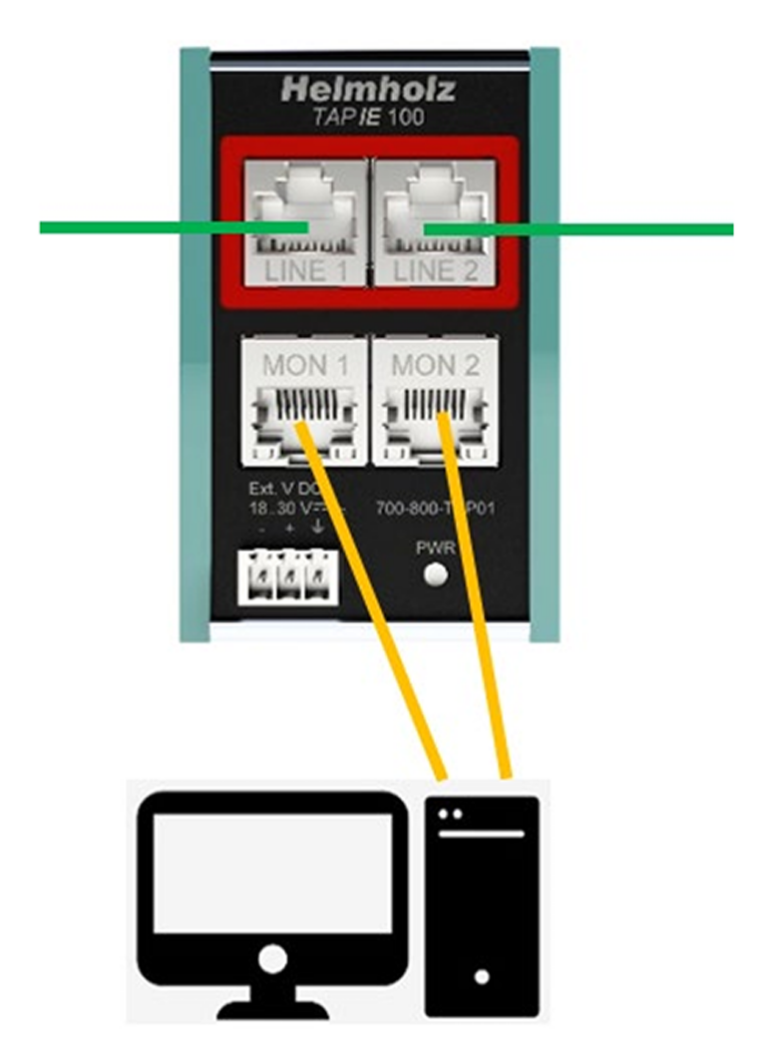
Example of a passive Ethernet TAP used to monitor industrial network traffic without interrupting communications.
That becomes especially valuable when problems:
- happen intermittently
- occur during production only
- disappear before someone arrives onsite
- or involve multiple devices communicating at once
The faster you can see traffic clearly, the faster troubleshooting usually goes.
Explore Visibility and Integration ToolsMore Teams Are Trying to Catch Problems Earlier
This is one of the bigger shifts happening right now.
A lot of maintenance teams are moving beyond:
- reactive troubleshooting
and asking:
“How do we catch issues before they turn into downtime?”
That applies to:
- network traffic
- cabinet conditions
- environmental changes
- machine behavior
- communication stability
Because most failures don’t appear out of nowhere.
Usually there are warning signs first.
Temperature changes.
Increasing retries.
Intermittent packet loss.
Cabinet vibration.
Unstable response times.
Communication that gets worse over time.
The earlier those changes become visible, the easier troubleshooting becomes.
This Is Why Condition Monitoring Keeps Expanding
What’s interesting is that plants are starting to look at reliability more holistically now.
Not just:
“What failed?”
But:
“What changed before the failure showed up?”
That’s driving more interest in:
- cabinet monitoring
- environmental monitoring
- machine condition visibility
- permanent network monitoring
- trend analysis
Not because plants want more dashboards.
Because they want fewer surprises.
Many teams are focusing on earlier visibility into cabinet conditions, communication stability, and system health.
Legacy Infrastructure Isn’t Going Anywhere
There are thousands of Modbus RTU devices still running successfully in industrial facilities.
At the same time, most modern architectures are Ethernet-based.
So a lot of plants are now balancing:
- older serial infrastructure with
- newer Ethernet systems

Many facilities continue integrating older Modbus infrastructure into newer Ethernet-based systems.
That’s why protocol converters and gateways continue to matter.
Not because plants refuse to modernize.
Because replacing everything at once usually isn’t realistic.
Most facilities are trying to:
- keep systems stable
- improve visibility
- modernize gradually
- and avoid unnecessary downtime during transition
That’s a much more practical reality than “rip and replace.”
A Few Things Worth Checking First
If you’re chasing recurring Modbus problems, start simple first.
For Modbus RTU
- verify baud rate and parity
- check grounding and shielding
- confirm addressing
- inspect cable quality
- look for electrical noise sources
- verify A/B orientation
For Modbus TCP
- test cables properly
- review switch quality
- improve traffic visibility
- examine polling behavior
- review segmentation
- create proper diagnostic access
And don’t ignore intermittent issues just because the network eventually recovers.
Those small communication problems are often early warning signs.
Seeing intermittent Modbus issues that are difficult to isolate?
We regularly help teams improve visibility, troubleshoot intermittent communication problems, and integrate older Modbus infrastructure into newer Ethernet environments.
If that sounds familiar, we’re happy to share what we’re seeing in the field.